
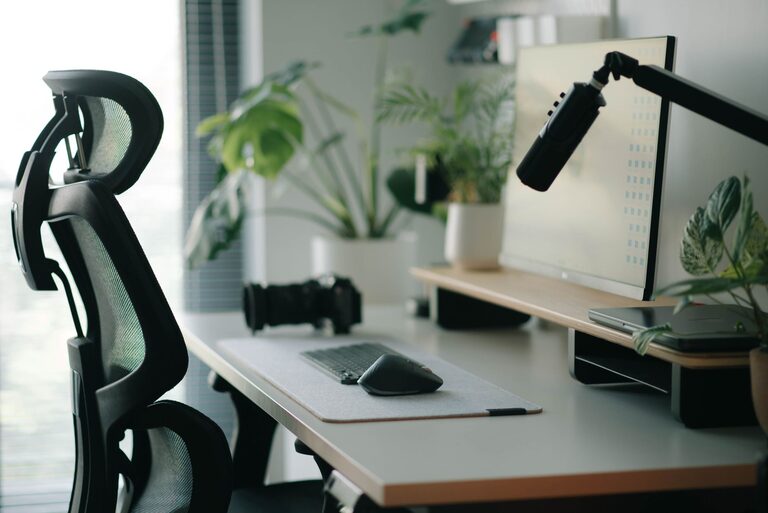
Creating a desk setup that promotes both focus and comfort is essential whether you work from home, study, or spend hours on creative projects. A well-organized, ergonomic workspace can improve your concentration, reduce fatigue, and make your workday more enjoyable. This post will guide you through practical tips to optimize your desk setup for better productivity and overall comfort.
Why a Good Desk Setup Matters
Your environment plays a significant role in how well you focus. Distractions, discomfort, or clutter can negatively impact concentration and productivity. On the other hand, a thoughtfully arranged workspace supports good posture, reduces strain, and helps keep your mind clear. Investing time in setting up your desk properly pays off with increased efficiency and less physical discomfort.
Choose the Right Desk and Chair
Desk Height and Size
Your desk should be at a height where your elbows rest comfortably at about a 90-degree angle when typing or writing. A standard desk height is usually around 28-30 inches, but it depends on your height. Choose a desk size that fits your available space without feeling cramped, leaving room for your equipment and some personal items.
Ergonomic Chair
A supportive chair is crucial for comfort. Look for a chair with adjustable height, lumbar support, and comfortable padding. Your feet should rest flat on the floor or a footrest, and your knees should be approximately level with your hips. Good lumbar support prevents slouching and back pain during long sessions.
Organize Your Desk for Efficiency
Keep Essentials Within Reach
Place items you use frequently, like your phone, notepads, or pens, within arm’s reach. This reduces the need to stretch or get up often, helping you maintain focus.
Minimize Clutter
Too many items on your desk can be distracting. Use organizers, drawers, or shelves to keep your desk surface clear. A tidy desk promotes a tidy mind.
Use Cable Management Tools
Messy cables can create visual chaos. Use clips, sleeves, or cable boxes to keep cords neat and out of the way.
Optimize Lighting
Natural Light
If possible, position your desk near a window to take advantage of natural light. Natural light boosts mood and alertness. However, avoid glare on your screen by using curtains or blinds if needed.
Task Lighting
Desk lamps with adjustable brightness and direction help when working in the evening or in low light conditions. Choose a lamp with a warm or neutral color temperature to reduce eye strain.
Adjust Monitor and Keyboard Placement
Monitor Height and Distance
Your monitor should be about an arm’s length away. The top of the screen should be at or slightly below eye level to prevent neck strain. Use a monitor stand or stack books to raise your screen if necessary.
Keyboard and Mouse Position
Place your keyboard and mouse so your wrists are straight and your arms are close to your body. Consider using a wrist rest if you experience discomfort. Keep your mouse at the same height as your keyboard for smooth hand movement.
Add Comfort and Personal Touches
Use a Footrest
If your feet don’t reach the floor comfortably, a footrest can improve posture and reduce lower back strain.
Incorporate Plants
Adding a small plant brings a touch of nature to your desk, which can reduce stress and improve air quality.
Personalize Thoughtfully
Photos, artwork, or inspirational quotes can make your workspace feel inviting. Keep decorations minimal to avoid clutter.
Take Breaks and Change Positions
No setup can replace the benefits of regular breaks. Every hour, stand up, stretch, or walk around for a few minutes. This helps reduce eye strain, improves circulation, and refreshes your focus.
Consider a Sit-Stand Desk
If possible, try a sit-stand desk to alternate between sitting and standing during the day. This can reduce discomfort and promote movement.
Keep Hydrated and Snack Wisely
Place a water bottle on your desk to remind you to stay hydrated. Healthy snacks, like nuts or fruit, can keep your energy steady without causing crashes.
—
Creating a desk setup that balances comfort and focus doesn’t have to be complicated. By paying attention to ergonomics, organization, lighting, and personalization, you can build a workspace that helps you work smarter and feel better. Remember, small changes can make a big difference in your daily productivity and well-being.